Kaching Post Purchase Upsell Review (2026) — Is It the Best Post Purchase Upsell App for Shopify?

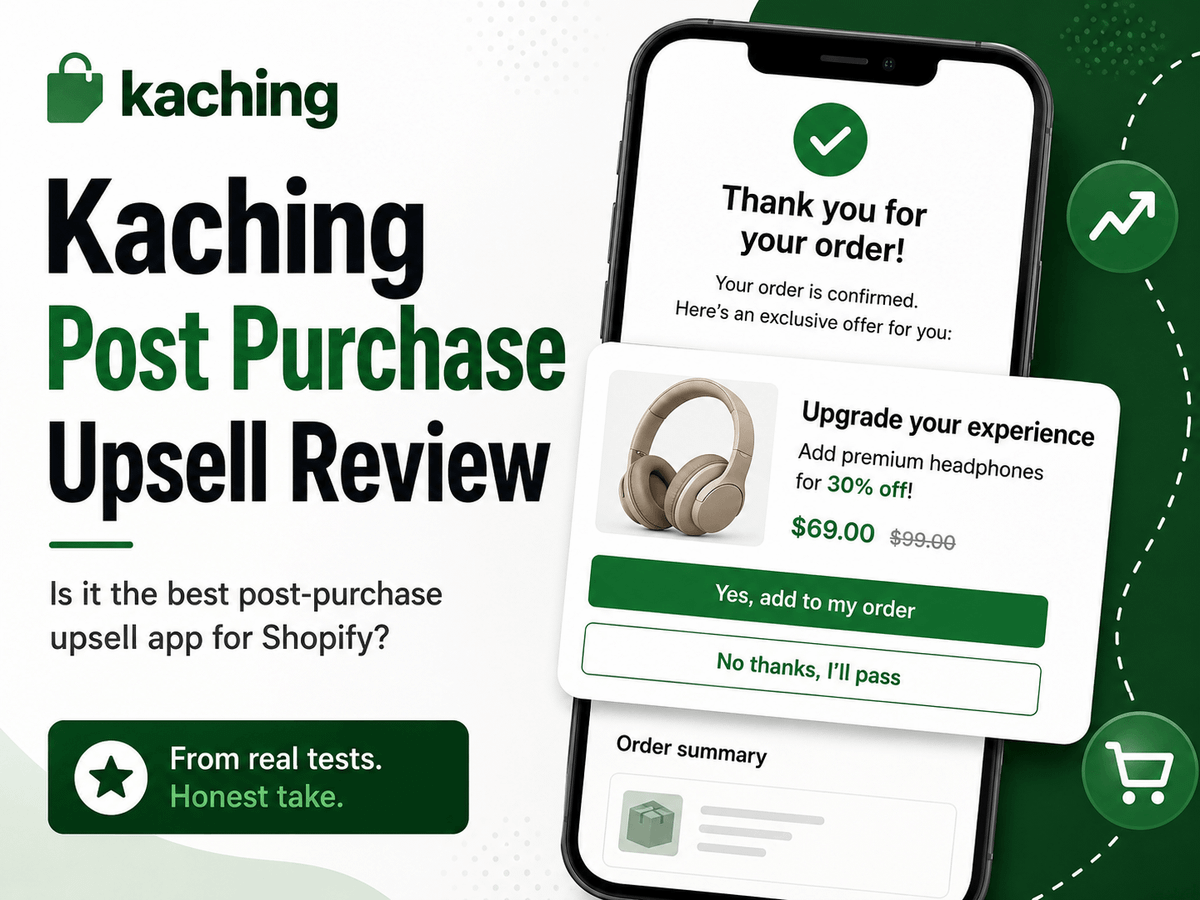
TL;DR: Kaching Post Purchase Upsell shows a one-click offer to a customer who just bought from you — at the highest-intent moment in your entire customer journey. The post-purchase placement is the more powerful option: one click, no extra payment, added straight to the existing order. The thank you page placement is the trust-safe fallback but requires a separate payment step. My own experience was messier than expected — a MobilePay compatibility issue quietly killed my impression volume — but the fundamentals are solid and I'm reinstalling it. If you're running Kaching Bundles already, this completes the stack. 8/10.
The honest framing
Post purchase upsells are one of the most underused levers in ecommerce. By the time a customer reaches the end of checkout, they've already decided to trust you. Their card details are in. The psychological barrier to buying again is at its lowest point in the entire customer journey. Showing them a relevant second offer at that exact moment is about as frictionless as upselling gets.
The key word is relevant. Complementary products are what work here. If you sell a baby plate, fork and knife, the upsell is a baby spoon. It's obvious, it's useful, and the customer immediately understands why you're offering it. Generic or unrelated upsells don't convert — and aggressive discounts can actually backfire.
Here's something I'd specifically caution against: don't offer 95% off a product in your upsell. The customer paid full price for something 30 seconds ago. Seeing a massive discount on a related item immediately after raises a question you don't want raised — why is this suddenly so cheap? That erodes the trust you just spent the entire customer journey building.
My recommendation is to mirror your bundle offer in your upsell instead. If you're offering two products for 15 dollars off in a bundle, structure your upsell as the same saving framed differently — for example, 30 dollars off the second item if bought now. It's the same commercial logic, just presented at a different point in the journey. The reason this works well is that some customers will have seen your bundle offer first and skipped it, then encounter the upsell. Others will have missed the bundle entirely and see the offer here for the first time. The two placements complement each other rather than cannibalise.
If you don't have a bundle offer set up yet, do that first. For most Shopify stores, Kaching Bundles is the right tool. If you're already in the Bold Commerce ecosystem, Bold Bundles is a solid alternative — but otherwise Kaching is the better starting point.
Check out what I've got for you - 10% discount for life. Click the below button and use code 'ECOM10RATED10' to lock in your deal:
What it does well
Two placements — and they are not equal
Kaching Post Purchase Upsell gives you two places to show your offer. Understanding the difference between them is the most important decision you'll make before going live.
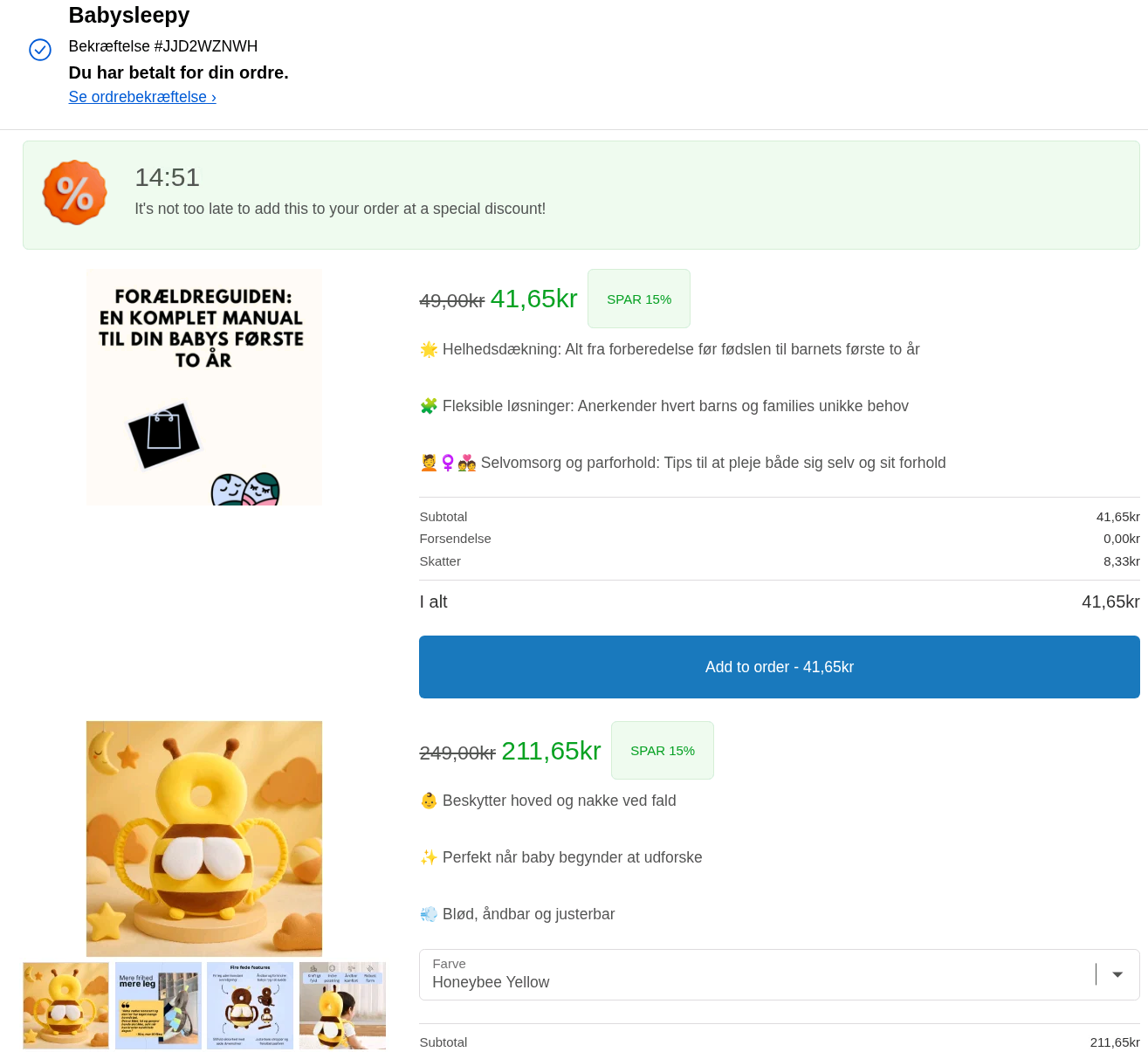
Post-purchase placement — the offer appears between checkout completion and the thank you page, in a dedicated full-screen step. You can see this in action in the screenshot below — the order confirmation is visible at the top, and the customer is presented with a full-screen offer with a countdown timer and a prominent "Add to order" button. If they accept, the item is added directly to their existing order with one click. No extra payment is requested. No new checkout. No re-entering card details. It just gets added.
This is the most frictionless upsell mechanic available on Shopify and it is genuinely powerful when it fires correctly.
The caveat is trust. In markets where customers expect to see an order confirmation immediately after paying — Denmark, Norway, and Scandinavia broadly — showing a sales offer before the confirmation can create a moment of doubt. Did my order go through? What just happened? That doubt, even if it lasts three seconds, can damage the relationship you spent the whole journey building. Trust is not just a soft metric in Scandinavian markets — it directly affects whether customers buy from you again.
Thank you page placement — the offer appears on the thank you page alongside the order confirmation. The customer can see their order went through before they engage with the upsell. That's better for trust. But the mechanic is fundamentally different: clicking accept opens a new tab and asks the customer to pay the outstanding amount separately. That's a new payment action. It introduces friction that the post-purchase placement doesn't have, and that friction shows in conversion rates.
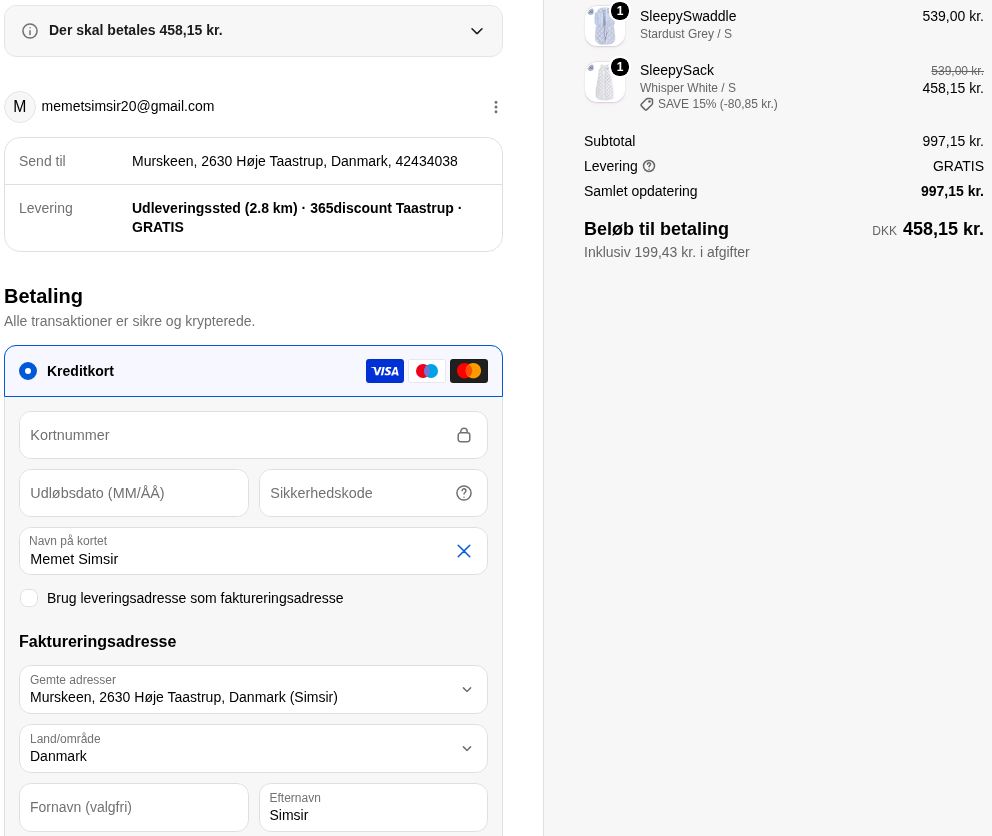
So the honest summary is this: post-purchase placement converts better because it's truly one-click with no extra payment. Thank you page placement is safer for trust but asks more of the customer. In Scandinavia I'd test both but lean toward thank you page placement given how trust-dependent these markets are. In the US you can likely run post-purchase placement without the same risk.
Simple offer setup
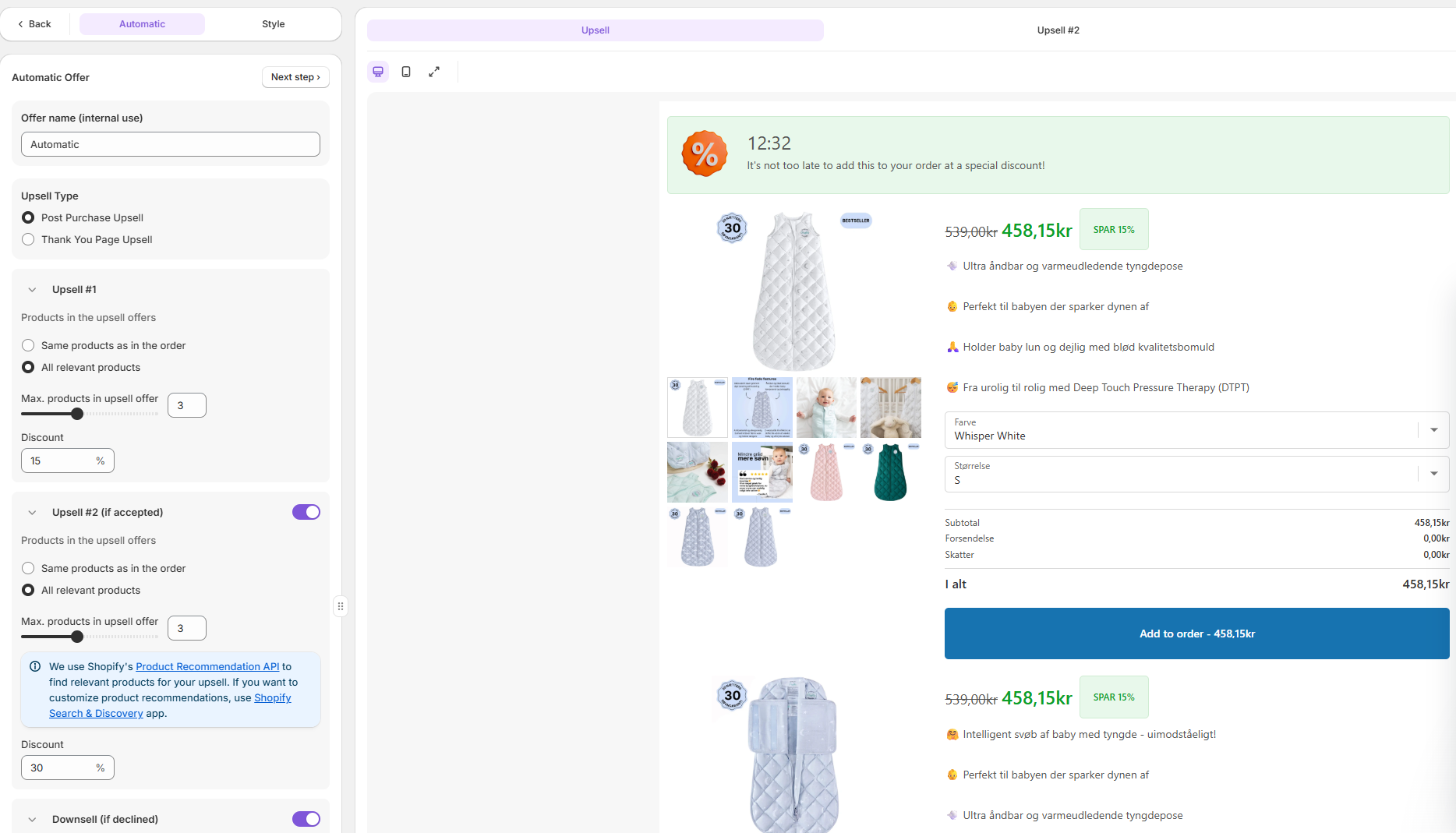
As you can see in the dashboard screenshot below, the setup is straightforward. Toggle between Post Purchase Upsell and Thank You Page Upsell, configure your Upsell #1 and Upsell #2 offers, set your discount percentage, and preview the offer live on the right side of the screen. Most store owners can go from install to active offer in under 20 minutes. There's no overcomplicated funnel builder and no developer required.
You can also enable a Downsell — if the customer declines the first offer, a secondary offer fires automatically. That's a useful conversion layer that doesn't require any extra setup beyond toggling it on.
If you don't want to configure offers manually, Kaching includes a one-minute AI setup that customises post purchase upsell offers automatically. It draws on top-performing upsell strategies and adapts over time. For store owners who want to get live fast without thinking too hard about offer selection, this is a useful starting point.
Works with the rest of the Kaching stack
If you're already running Kaching Bundles, your product pairing logic is already mapped out. Mirror it here. The apps don't conflict and running both gives you upsell coverage at the start and end of the customer journey — which is where the compounding AOV gains come from.
AOV and LTV in one move
A successful upsell increases your average order value immediately — which directly affects how aggressively you can spend on paid acquisition. The more your customers spend per order, the more you can afford to pay to acquire them. That compounding logic is why upsell apps are worth running even when the per-order lift looks modest on paper.
What it doesn't do as well
Post-purchase placement doesn't fire with MobilePay
This is the thing that tripped me up on my own store and cost me a meaningful amount of data before I figured it out. I had the app running on post-purchase placement and noticed that my impression count was significantly lower than my order count — the gap was too large to be noise. It turned out that when a customer pays with MobilePay, the post-purchase placement simply does not fire. The upsell never shows.
MobilePay is one of the most popular payment methods in Denmark and Norway. If you're selling in Scandinavia and a meaningful share of your customers pay with MobilePay, post-purchase placement will quietly underdeliver. You won't get an error. You just won't get impressions. Thank you page placement doesn't have this problem — which is another reason it's the safer default for Scandinavian stores.
This is also why I ended up uninstalling the app. I couldn't reconcile the impression numbers, didn't understand the cause at the time, and moved on. Now that I understand what happened I'm reinstalling — on thank you page placement.
Thank you page gets crowded
The tradeoff with thank you page placement is that it's sharing space with everything else on that page. As you can see in the screenshot below, when you're running both a post-purchase survey and a upsell offer on the same thank you page, the offer gets pushed down the page and has to compete for attention. The survey sits at the top, the upsell sits below it, and the order confirmation ends up at the bottom. The customer's eye naturally goes to the survey first — which is the opposite of what you want if upsell conversion is the priority.
If you're running a post-purchase survey for attribution data — which I'd recommend doing, particularly if you're trying to understand which channels are actually driving purchases — you need to think carefully about the order of elements on your thank you page and accept that the upsell will get less visibility as a result.
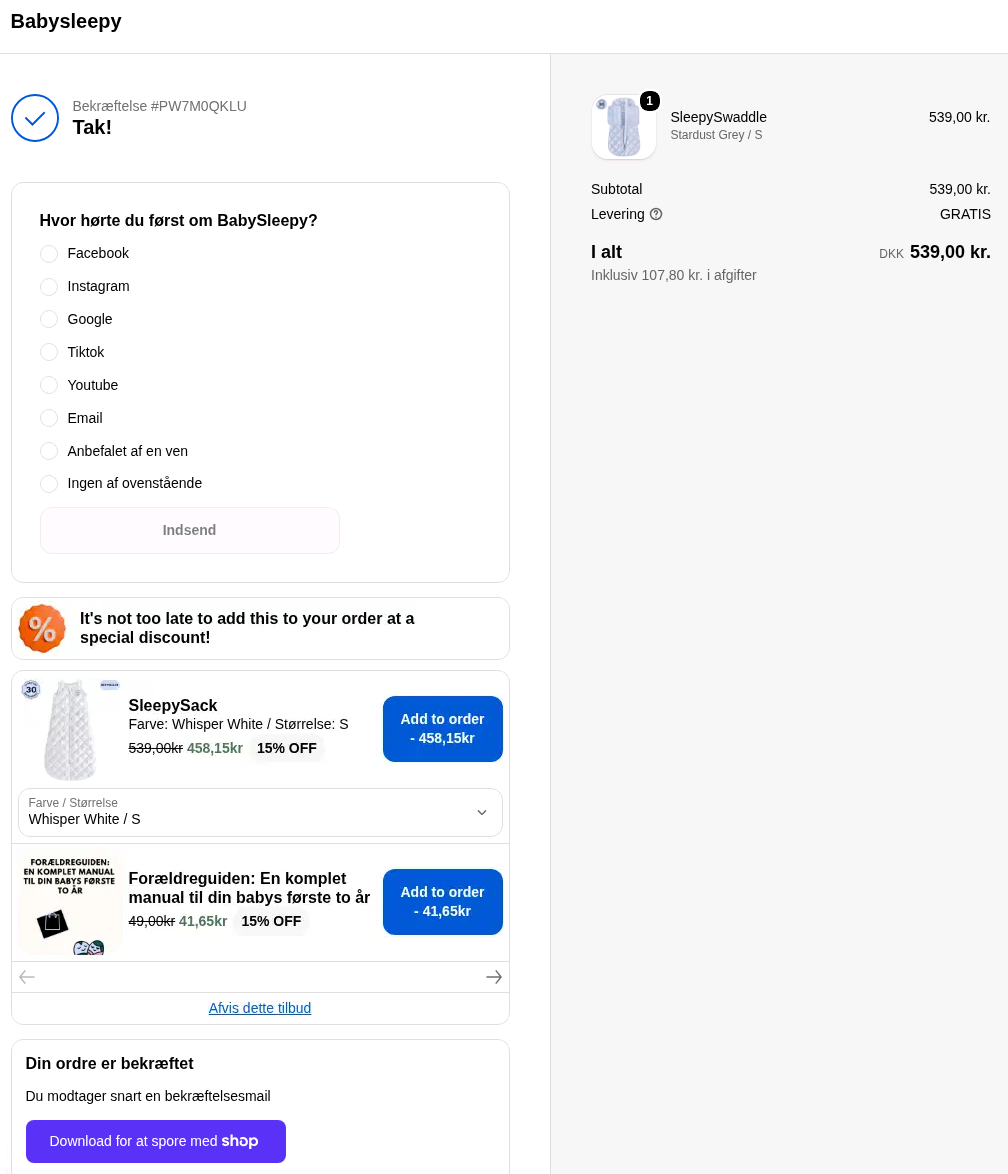
Thank you page placement requires a separate payment step
The tradeoff for the trust-safety of thank you page placement is real. When a customer clicks accept on a thank you page upsell, a new tab opens and they're asked to pay the outstanding amount separately. That's friction. It won't kill conversions entirely but it will reduce them compared to the one-click no-payment mechanic of post-purchase placement.
No multi-step funnel logic
You can only show one offer at a time — though the Downsell toggle gives you a secondary offer if the first is declined. There's no "if they decline offer A, show offer B, then offer C" conditional chain. For most stores this is fine. For high-volume operations with complex product catalogs it may feel limiting.
No native A/B testing
There's no built-in split test where you run offer A against offer B simultaneously. You swap offers manually and compare periods yourself. That said, the app does include an Automatic AI setup that selects and optimises upsell offers based on top-performing strategies — so if you don't want to manage offer testing manually, letting the AI run is a reasonable alternative.
Offer design is functional, not flashy
Product image, headline, description, discount, countdown timer. Clean and minimal. No drag-and-drop builder. If you want heavily branded custom upsell pages you'll hit limits here.
Who it's for
- Shopify store owners who want a simple, working post purchase upsell without overbuilding
- Stores already running Kaching Bundles — this completes the stack logically
- DTC brands with a clear complementary product to offer
- Stores selling in markets where trust is a primary purchase driver — lean toward thank you page placement and factor in local payment methods
- Anyone who wants fast setup and reliable execution over feature depth
Who it's not for
- Stores selling in Scandinavia with significant MobilePay usage who want post-purchase placement — you'll lose impressions silently
- Operators who need multi-step conditional upsell funnels
- Stores that want heavy design customisation on the upsell page
- Anyone running a post-purchase survey on the thank you page who hasn't thought through how the two will coexist
My verdict
I uninstalled Kaching Post Purchase Upsell because impression volume was too low and I couldn't explain the gap. I've since figured out the cause — MobilePay doesn't trigger the post-purchase placement, and in Denmark that's a large share of customers. That's not a reason to avoid the app. It's a reason to use thank you page placement instead, which is what I'll do when I reinstall it.
The post-purchase placement is the superior mechanic when it fires — one click, no extra payment, straight onto the existing order. But for Scandinavian stores it comes with two practical problems: the MobilePay gap and the trust risk of showing a sales offer before the order confirmation. Thank you page placement solves both, at the cost of some conversion rate due to the separate payment step.
The app itself is solid. The placement decision is where the nuance lives — and getting that right for your market matters more than most reviews will tell you.
8/10
Kaching Post Purchase Upsell is one of the cleanest ways to add a high-intent offer to your Shopify store. Use code ECOM10RATED10 at checkout for 10% off.
→ Try Kaching Post Purchase Upsell — Use code ECOM10RATED10 for 10% off:
The bottom line
Upselling and bundling work best together. Bundles catch customers at the start of their journey — when they're browsing and building a cart. Post purchase upsells catch them at the end — when they've already bought and trust is at its peak. Together they cover the two highest-leverage AOV moments in your store.
The more your customers spend per order, the more aggressively you can acquire new ones. That's the compounding logic that makes both tools worth running. And once you've maximised what customers spend on the first visit, the next step is bringing them back — which is where retention marketing through Klaviyo comes in.
Don't let a customer leave after one order if you can help it.
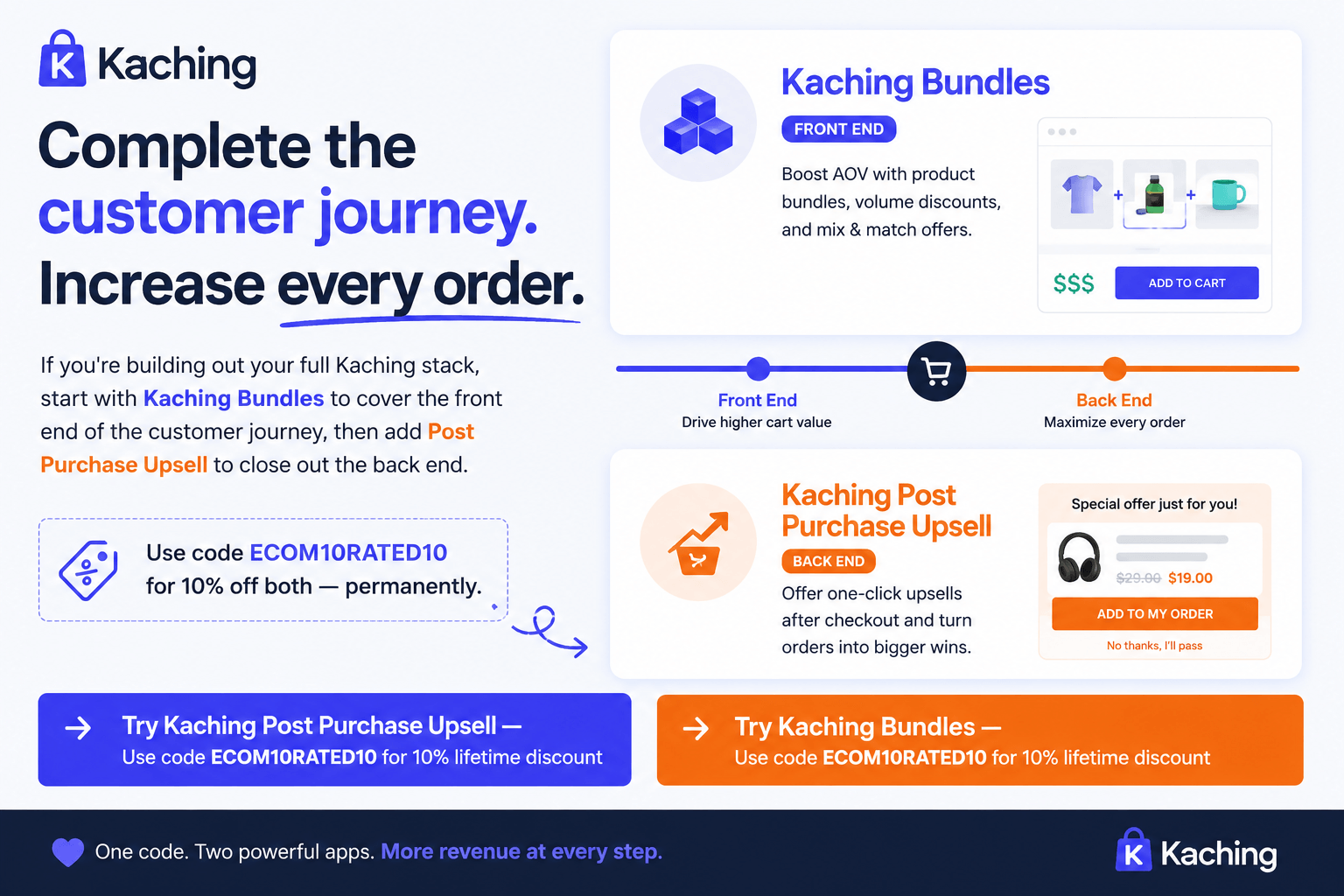
If you're building out your full Kaching stack, start with Kaching Bundles to cover the front end of the customer journey, then add Post Purchase Upsell to close out the back end.
→ Try Kaching Post Purchase Upsell and Kaching Bundles — Use code ECOM10RATED10 for 10% off:
FAQ
What is a post purchase upsell on Shopify?
A post purchase upsell is an offer shown to a customer immediately after they complete a purchase — either between checkout and the thank you page, or on the thank you page itself. Because the customer has already bought, there's no cart abandonment risk, and with post-purchase placement the offer can be accepted with one click without any extra payment required.
What's the difference between post-purchase placement and thank you page placement in Kaching?
Post-purchase placement shows the upsell offer before the order confirmation in a dedicated full-screen step. If the customer accepts, the item is added to their existing order with one click — no extra payment required. Thank you page placement shows the offer alongside the order confirmation, but accepting it opens a new tab and requires a separate payment. Post-purchase placement is the more frictionless mechanic. Thank you page placement is safer for trust, especially in markets like Denmark and Norway.
Does Kaching Post Purchase Upsell work with MobilePay?
Post-purchase placement does not fire when a customer pays with MobilePay. If you're selling in Denmark or Norway where MobilePay is widely used, you'll lose a significant share of impressions with post-purchase placement without any visible error. Thank you page placement does not have this limitation and is the safer choice for Scandinavian stores.
Should I discount heavily in my post purchase upsell?
No. Aggressive discounts raise red flags. The customer just paid full price for something — seeing a steep discount on a related item seconds later undermines trust and makes the original price feel arbitrary. A better approach is to mirror your bundle offer discount, just framed differently for the upsell context. The saving feels earned rather than suspicious.
How does post purchase upsell work alongside bundle offers?
They complement each other well and cover different parts of the customer journey. Bundle offers catch customers earlier when they're building a cart. Post purchase upsells catch customers who missed the bundle or didn't take it. Using the same underlying discount logic in both — framed differently — means you're maximising AOV at both touchpoints without devaluing your products. See the Kaching Bundles review for how to set up the bundle side of this.
Is Kaching Post Purchase Upsell better than ReConvert or Zipify?
Kaching is simpler and more focused. ReConvert and Zipify offer multi-step funnels, conditional logic, and more design customisation. If you need a full upsell funnel platform, those may suit you better. If you want a clean, working post purchase offer without the overhead — and especially if you're already running other Kaching apps — Kaching is the better starting point.